

Protection layers
- Origin lockdown: Cloud Defender accepts traffic only from Cloudflare and refuses everything else, so nobody can bypass the protection by reaching it another way. Locking your own server to Cloud Defender, as the activation guide explains, closes the remaining direct path.
- Threat Intelligence: requests from addresses on Aegister’s threat-intelligence list, sources already seen attacking other targets, are refused before they reach your site.
- Attack URL rule (Known attacks in the Cyber Console): judges only the address and the
headers of a request: hunting for sensitive files such as
/.envor/.git, path traversal, Log4Shell strings, malformed or abusive HTTP and scanning tools that declare themselves. It never reads form fields, JSON bodies or cookies, so what your users type is never judged by it. A source that keeps sending these requests is also banned from your site automatically for 24 hours. - Your own lists: you ban addresses, keep a whitelist of addresses that are always allowed, open login and admin pages only to the addresses or countries you choose, and refuse visitors by country. Changes apply within about two minutes.
- SQL injection and cross-site scripting: every request is also checked against the OWASP Core Rule Set (SQL injection, cross-site scripting and other attack patterns). By default these checks detect and do not block: the matching requests are listed for you to review. An Owner or Security Officer can switch on blocking for each site, and matching requests are then refused.
- Scanner detection: request patterns typical of scanners are detected and listed for you to review; they are not blocked.
- Health checks: Cloud Defender checks that your site responds and that its traffic really passes through the protection, and shows the result on the status page.
Distinctive Features
Interactive Dashboard
The Aegister Cyber Console gives you a complete view of what is happening to your domain.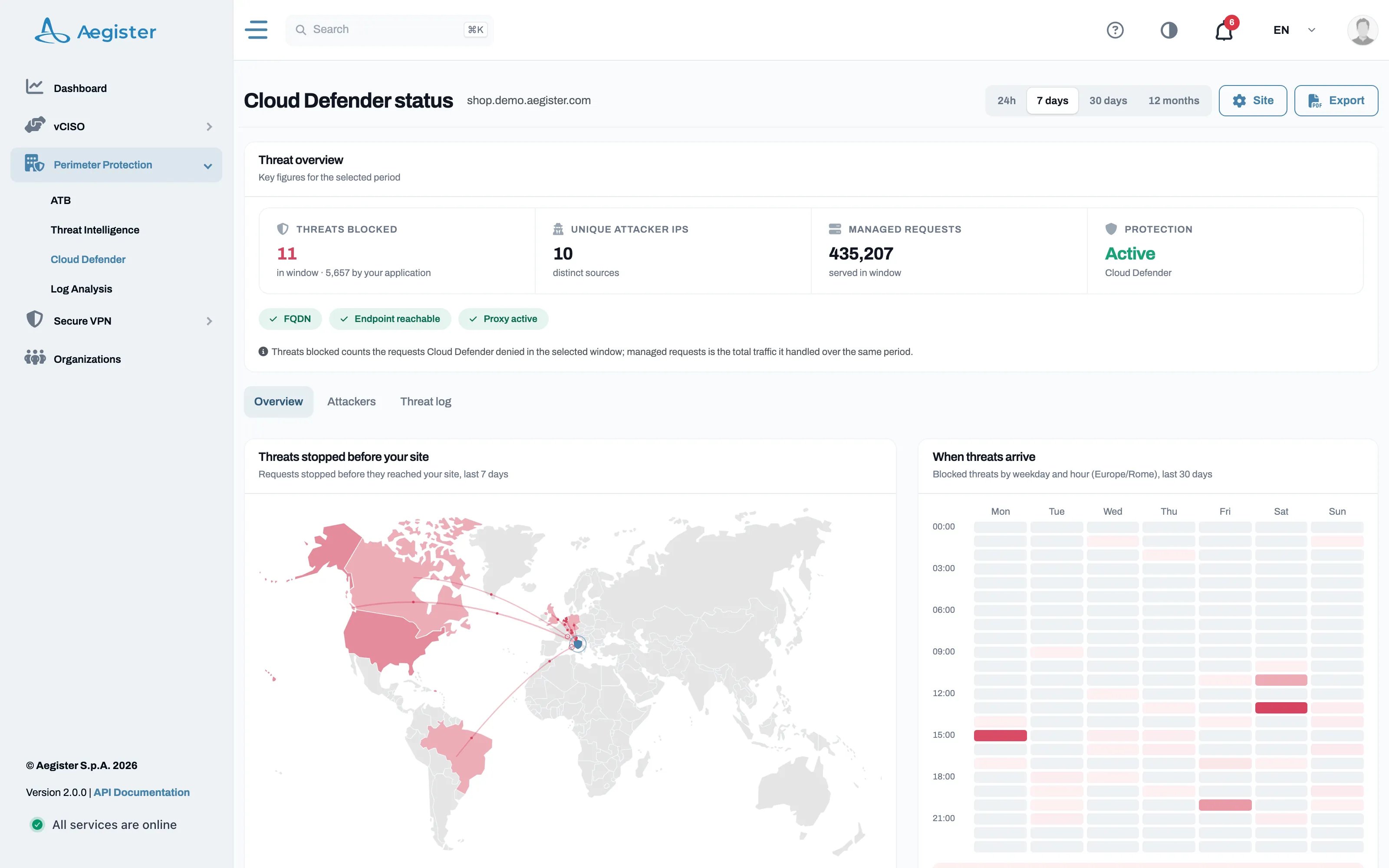
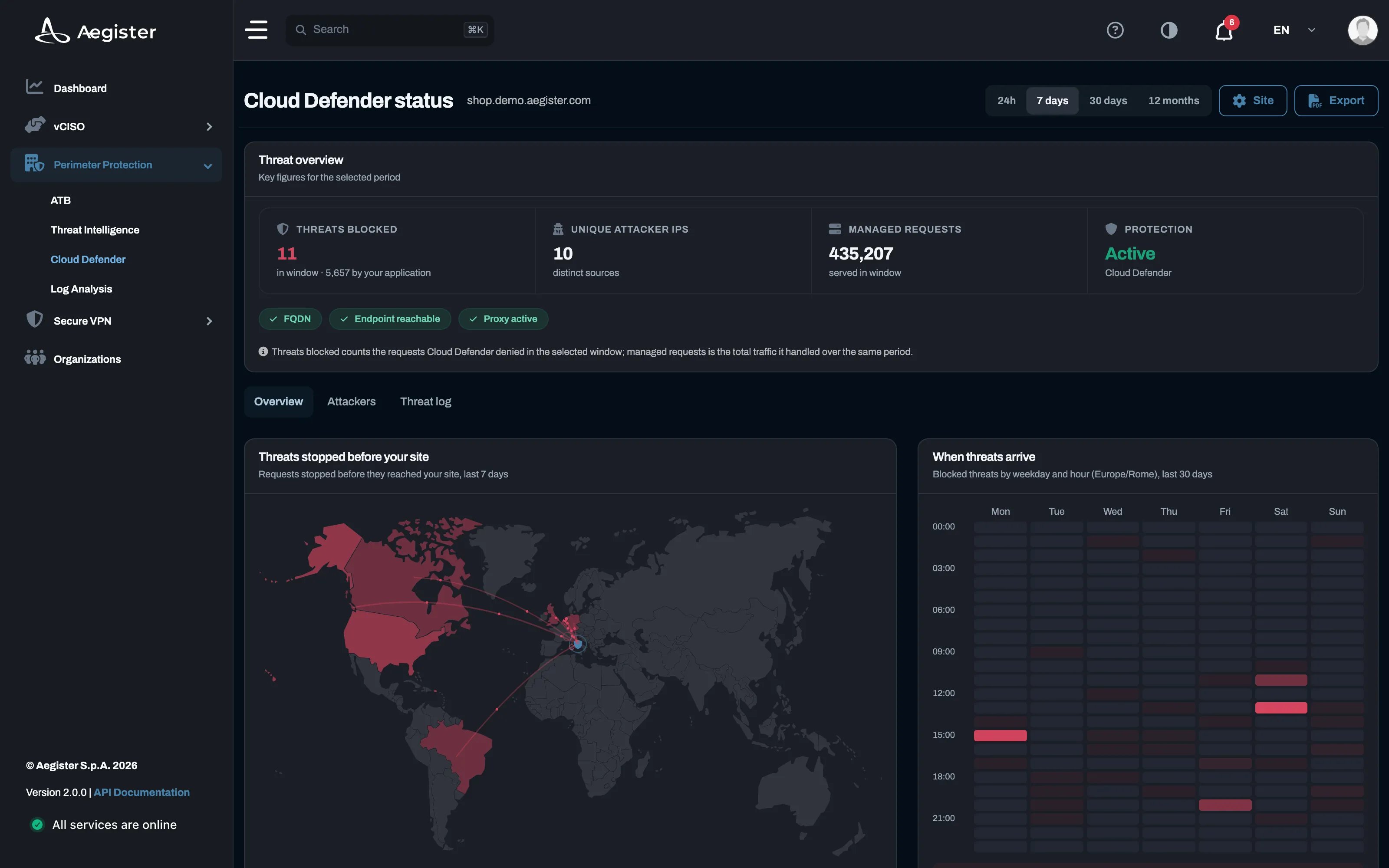
- Service state: protection status and a check for the domain, the endpoint and the proxy.
- Figures for the period: requests blocked, distinct sources and the volume of traffic handled, over a window you choose.
- Where and when: a map of the threats stopped before your site and a weekday-by-hour view of when they arrive.
- Activity over time: blocks and traffic volume day by day, with a zoomable range.
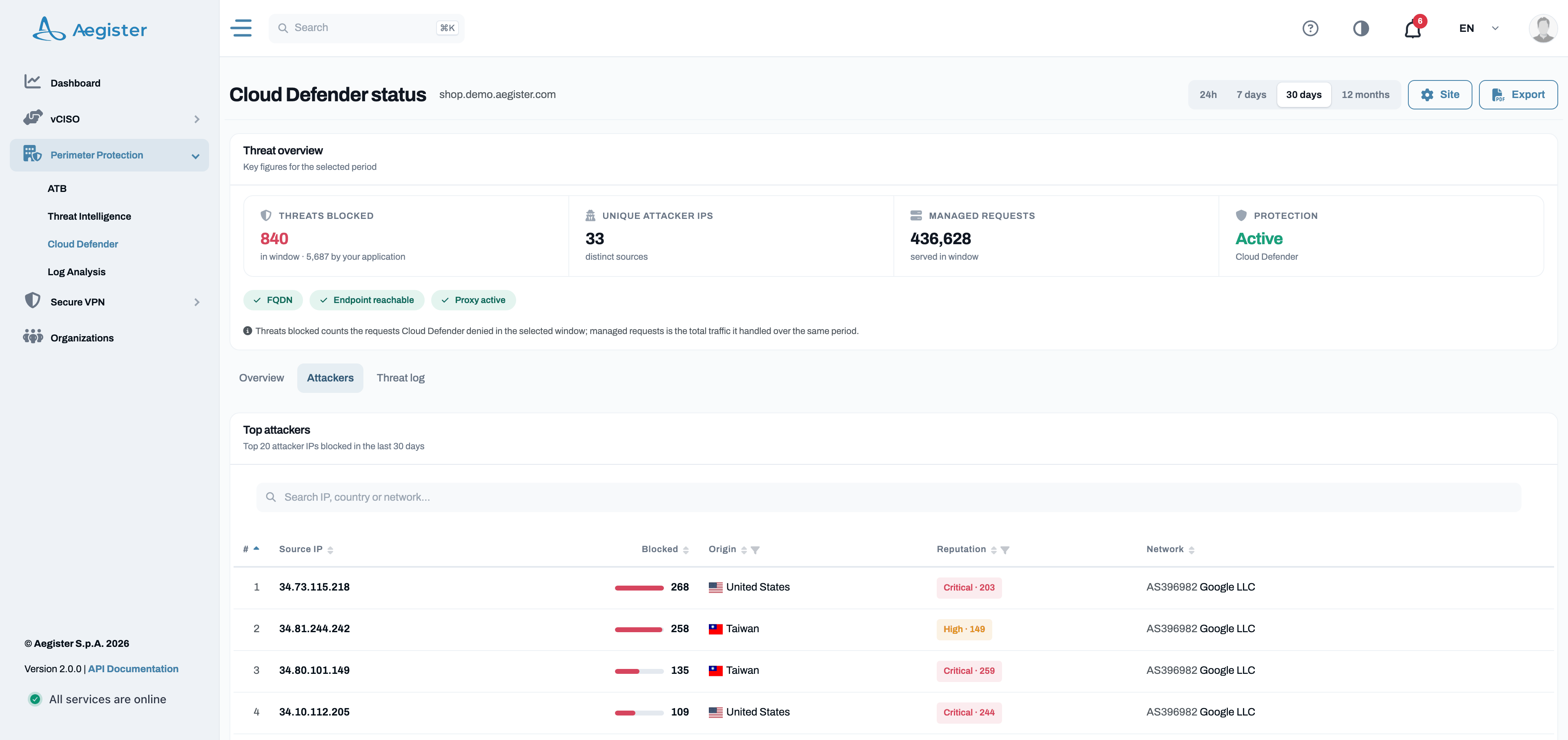
- Blocked requests: every denied request with its time, source, request and the layer that stopped it, filterable by layer and exportable.
- Detections: what Cloud Defender flagged without blocking it, for you to review: mark a source Legit when its requests are expected, or Ban it.
- Protection: what each layer did in the period, and your lists of banned addresses, always allowed addresses, restricted pages and countries. A Ban button sits in every table.
- Notifications in the Cyber Console and email alerts when a domain’s protection goes down, a daily notification when there are detections to review, and a weekly PDF report for the people you choose (coming soon, see Alerts and reports).