> ## Documentation Index
> Fetch the complete documentation index at: https://docs.aegister.com/llms.txt
> Use this file to discover all available pages before exploring further.
# Token
> Steps to create a new authentication token for accessing the API.
## How to Create a Token
Create an authentication token in four steps:
1. **Open your profile**\
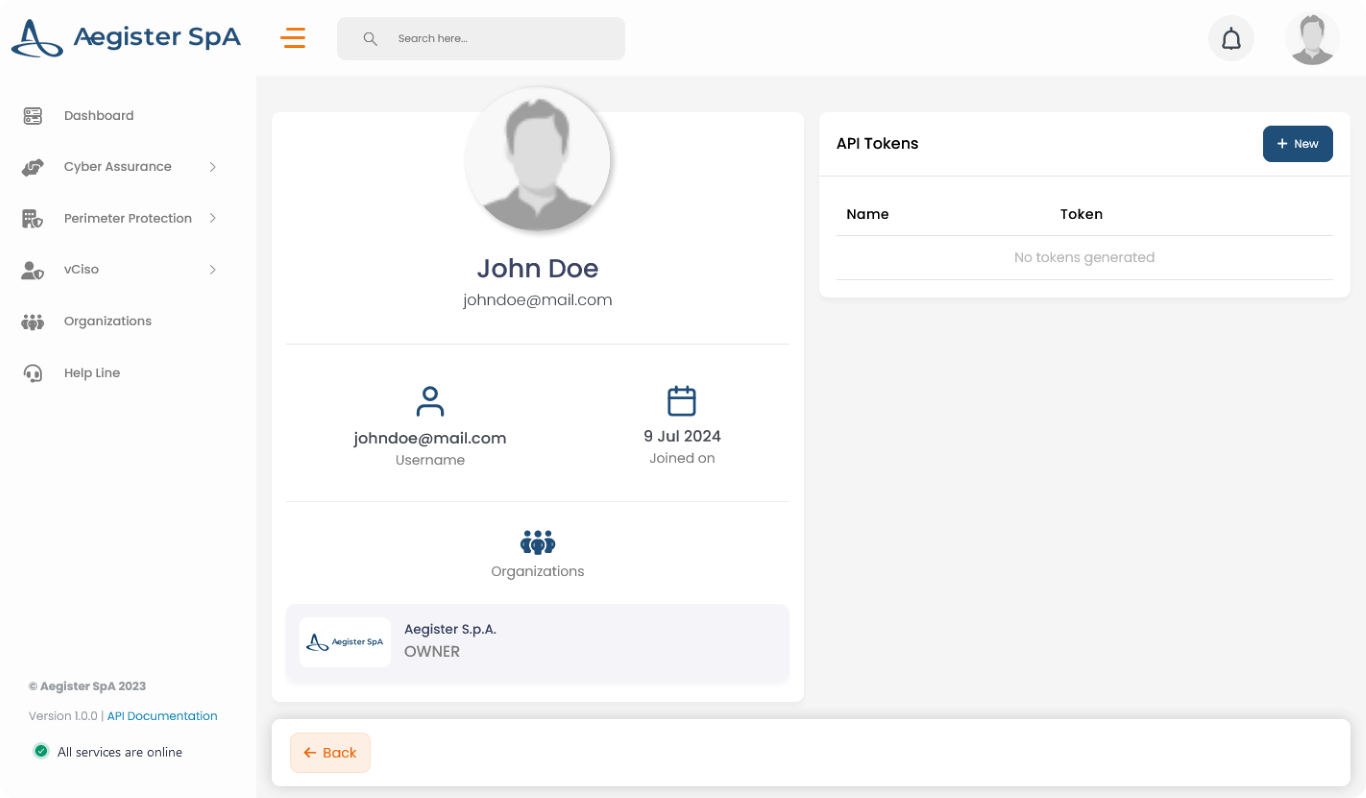
Click your profile icon at the top right of the page, or go directly to [Settings → Profile](https://app.aegister.com/settings/profile/).
2. **Create a new token**\
In the API Tokens section, click *+ New*.
 3. **Name the token**\
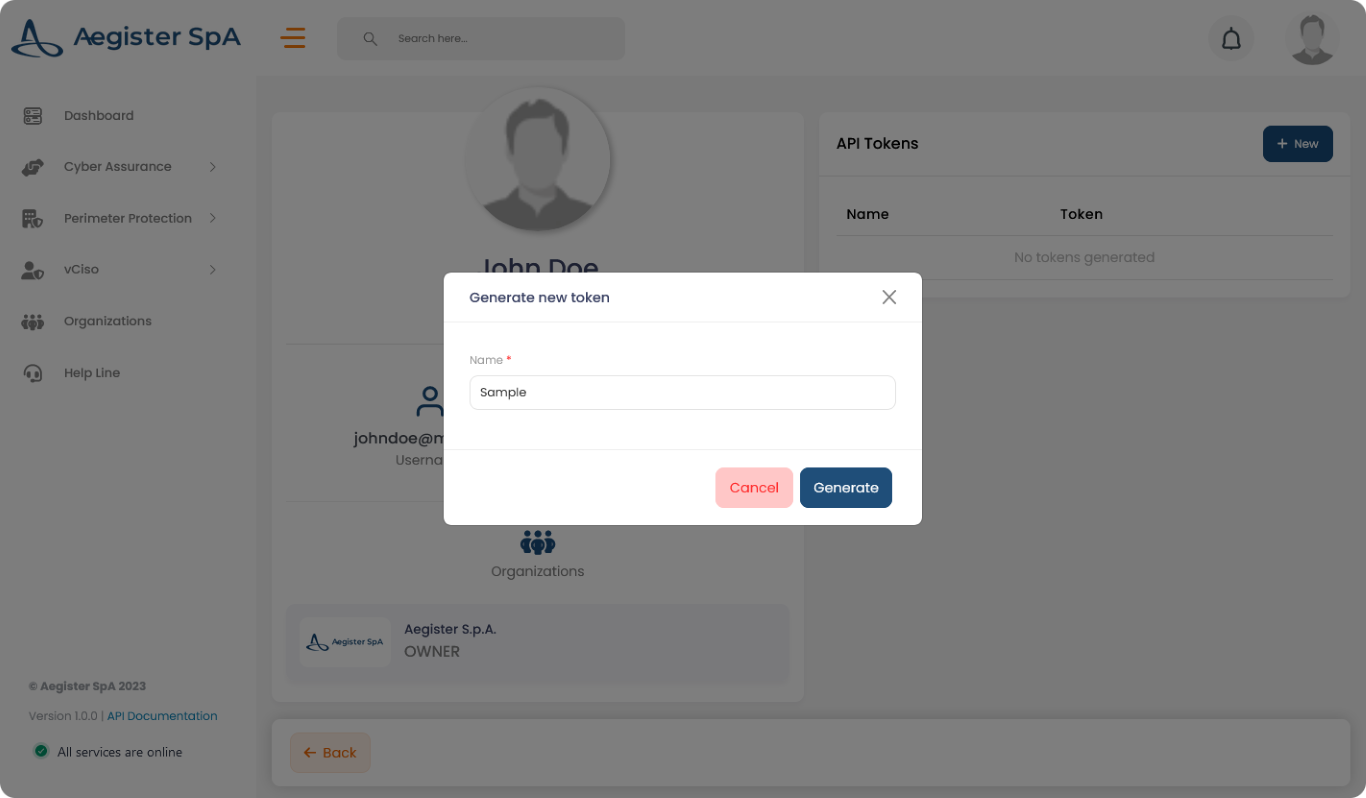
Enter a name and click "Generate".
3. **Name the token**\
Enter a name and click "Generate".
 4. **Copy the token**\
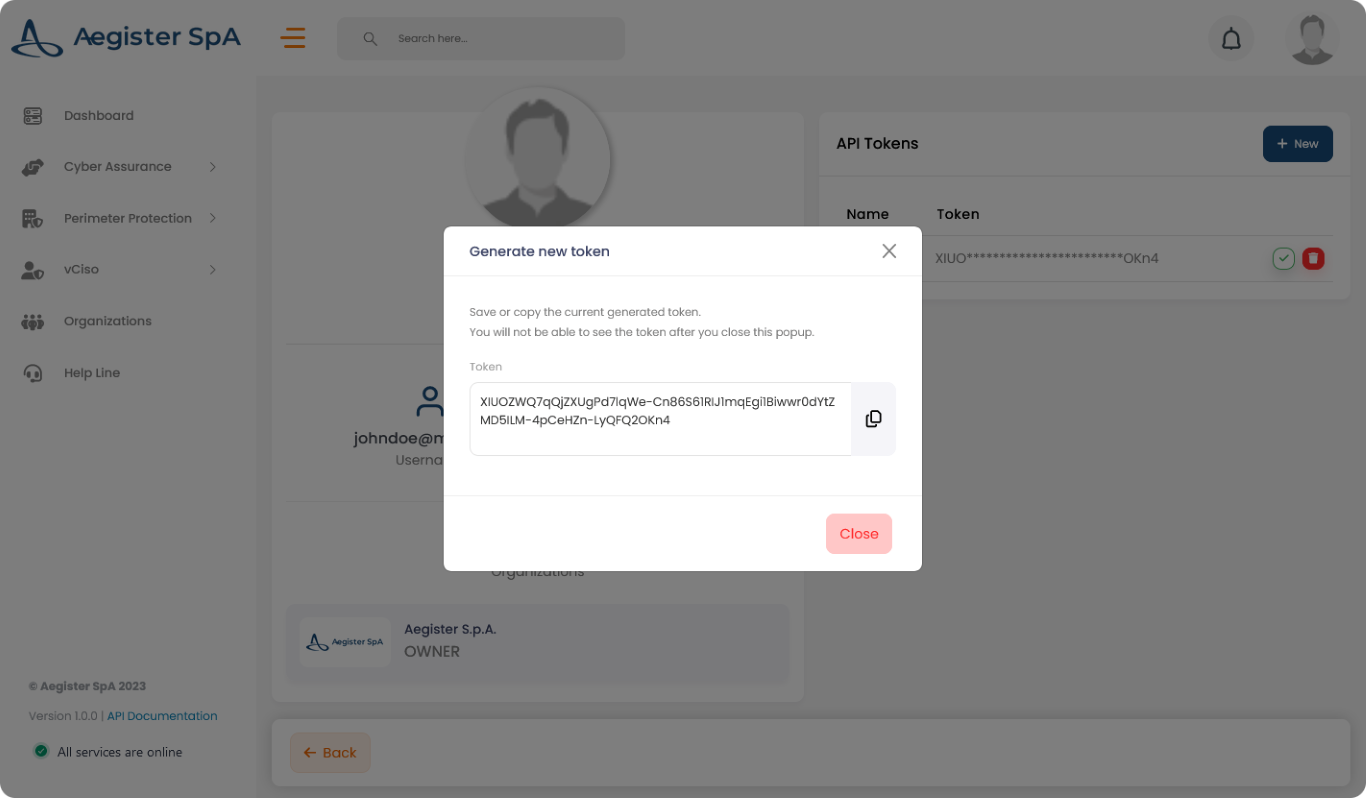
Copy the token now. It will not appear again.
4. **Copy the token**\
Copy the token now. It will not appear again.
 Store the token securely. Every API request requires it.