> ## Documentation Index
> Fetch the complete documentation index at: https://docs.aegister.com/llms.txt
> Use this file to discover all available pages before exploring further.
# Token
> Procedura per creare un nuovo token di autenticazione per accedere alle API.
## Come creare un token
Crea un token di autenticazione in quattro passaggi:
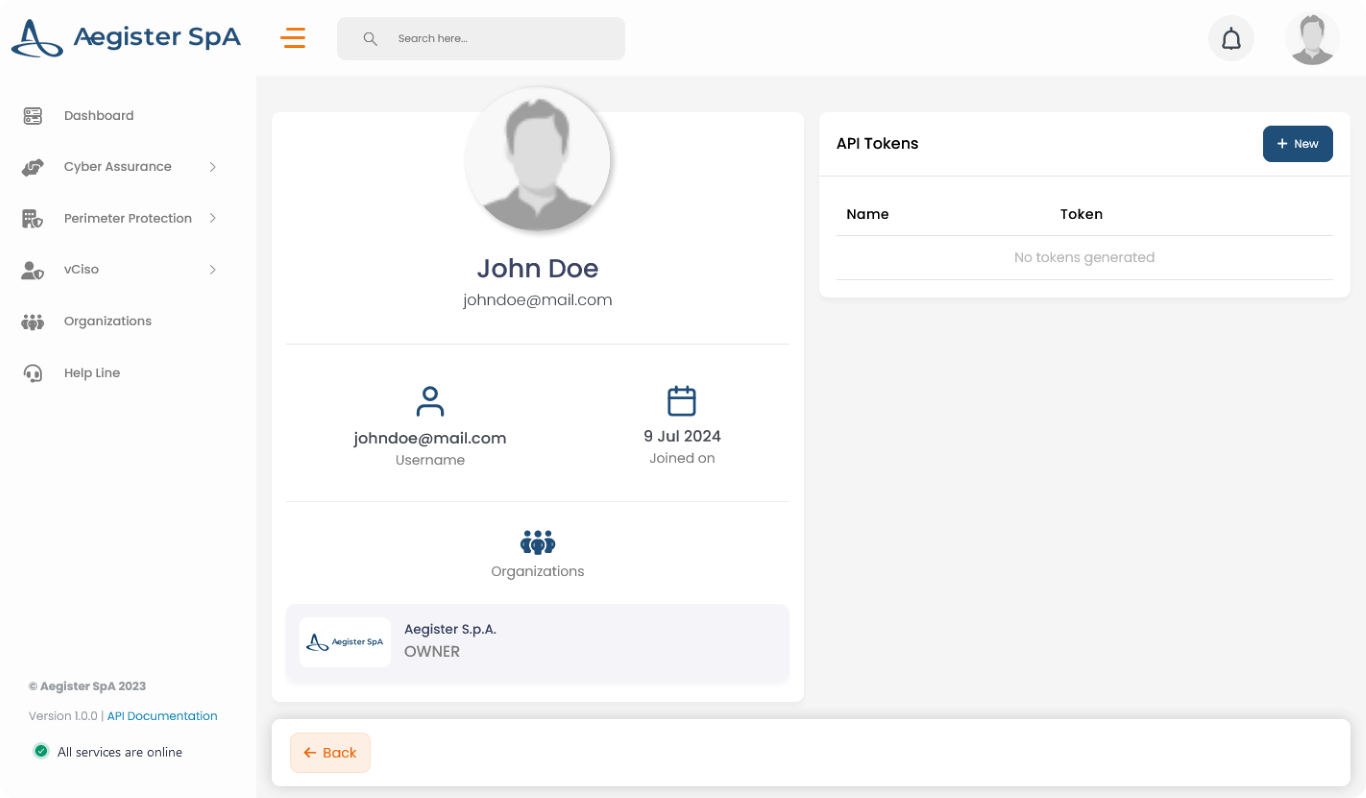
1. **Apri il tuo profilo**\
Clicca sull'icona del profilo in alto a destra nella pagina, oppure vai direttamente su [Impostazioni → Profilo](https://app.aegister.com/settings/profile/).
2. **Crea un nuovo token**\
Nella sezione Token API, clicca su *+ Nuovo*.
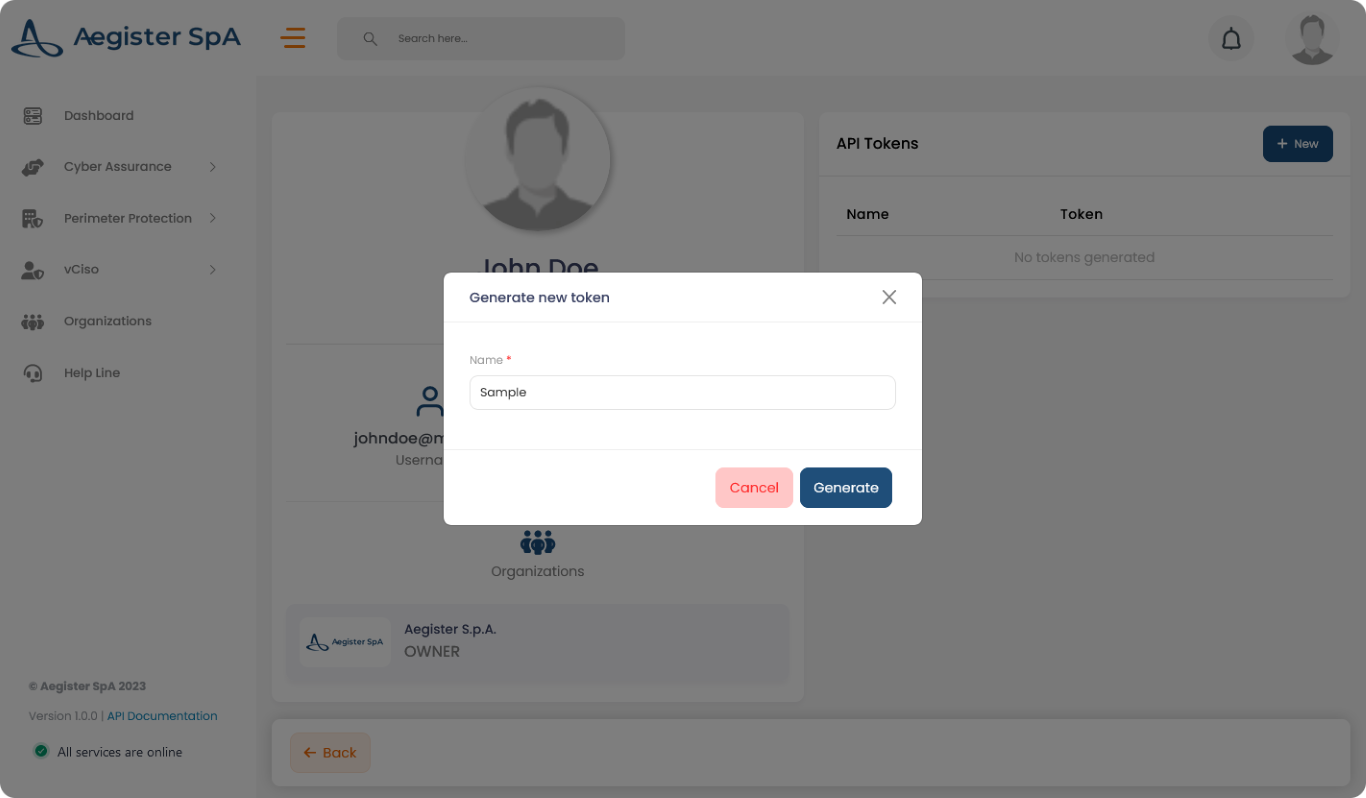
 3. **Assegna un nome al token**\
Inserisci un nome e clicca su "Genera".
3. **Assegna un nome al token**\
Inserisci un nome e clicca su "Genera".
 4. **Copia il token**\
Copia subito il token. Non verrà più mostrato.
4. **Copia il token**\
Copia subito il token. Non verrà più mostrato.
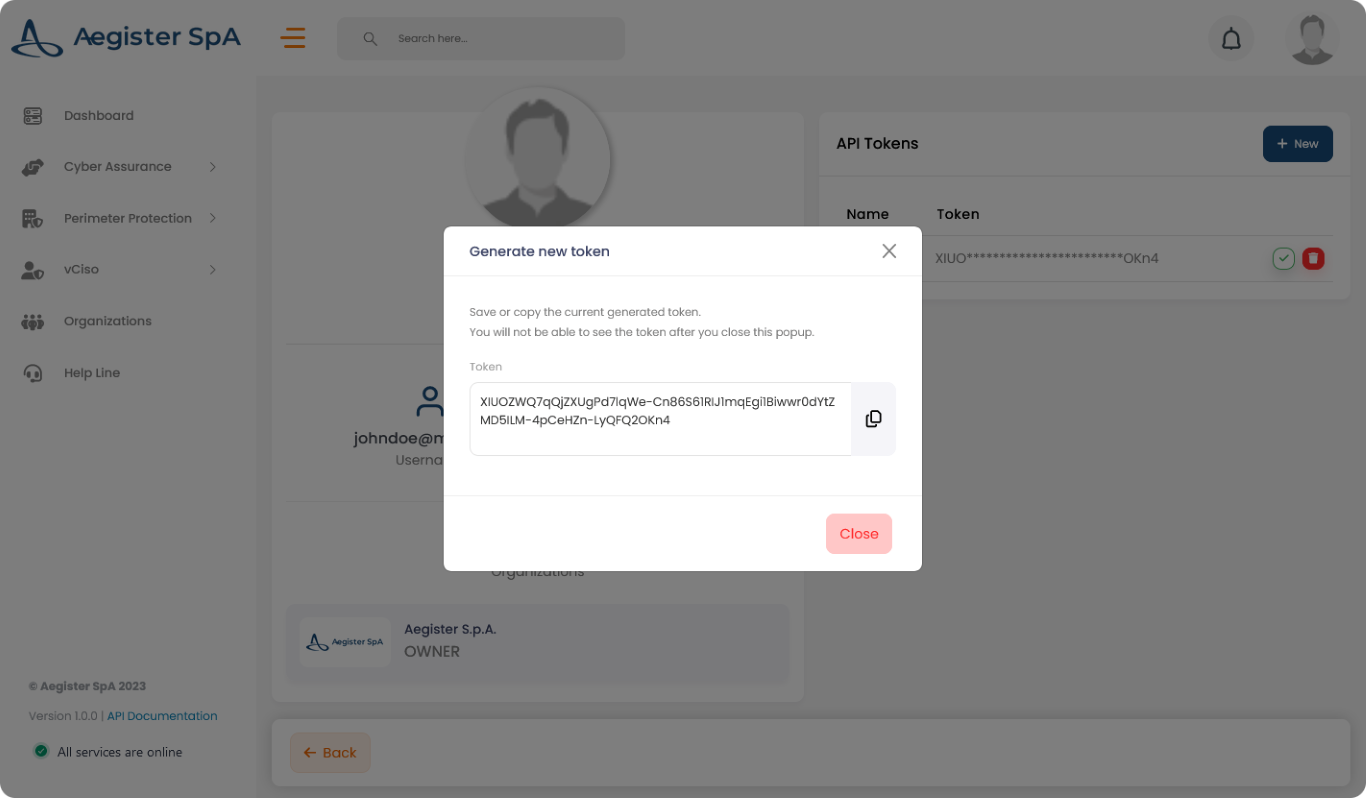 Conserva il token in modo sicuro. Ogni richiesta API lo richiede.